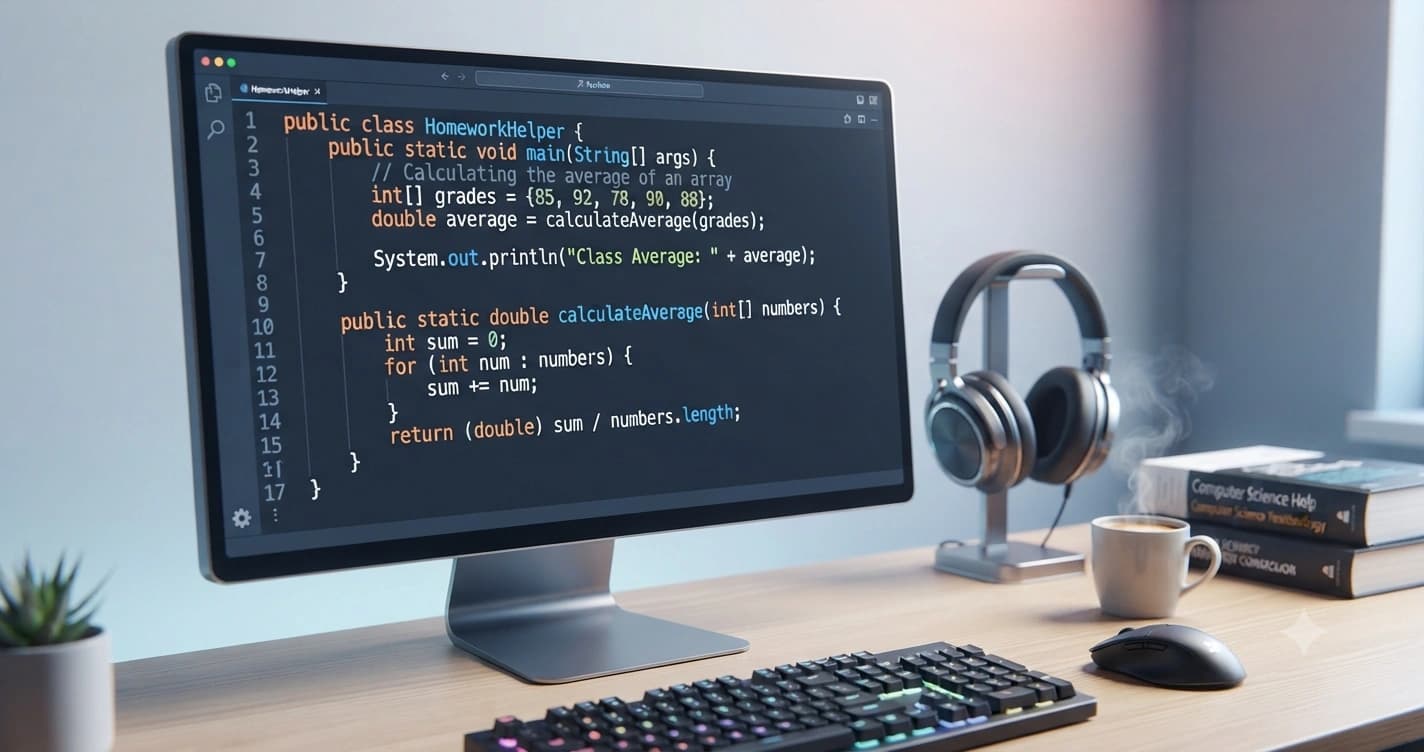
Master Java programming with this complete guide. Learn essential Java concepts, solve coding assignments confidently, avoid common programming mistakes, and improve your academic performance.
Java remains one of the most widely taught programming languages in schools, colleges, and universities worldwide. From introductory programming courses to advanced software development modules, students are frequently assigned Java coding homework to strengthen their understanding of object-oriented programming, data structures, algorithms, and application development.
While Java is known for its reliability and platform independence, many students find coding assignments challenging. Understanding syntax, debugging errors, implementing object-oriented principles, and writing efficient code often requires consistent practice and a strong grasp of programming fundamentals. As coursework becomes more advanced, assignments involving file handling, collections, multithreading, graphical user interfaces, and database connectivity can become even more demanding.
This is where Java coding homework help becomes valuable. Whether you're struggling to understand inheritance, resolve compilation errors, optimize algorithms, or complete a university programming project before the deadline, the right guidance can improve both your coding skills and academic confidence.
This comprehensive guide explains everything you need to know about Java homework, including common assignment topics, practical coding strategies, debugging techniques, best practices, and tips for improving your programming abilities. Whether you're a beginner learning Java for the first time or an advanced student working on complex applications, this guide will help you approach your assignments more effectively.
If you're new to programming assignments, start with our Programming Assignment Help page. For broader academic support, explore our Assignment Help and Homework Help services.
Need personalized academic guidance? Our Programming Assignment Help service connects students with experienced programming experts who provide support for Java assignments, coding projects, debugging, and software development tasks while maintaining high academic standards.
Quick Java Homework Checklist
Before you begin your Java assignment, make sure you can answer these questions:
☐ Have I understood the assignment requirements?
☐ Do I know which Java concepts are being tested?
☐ Have I planned my program before coding?
☐ Is my code properly formatted and commented?
☐ Have I tested every feature of my program?
☐ Have I fixed all compilation and runtime errors?
☐ Does my solution meet the assignment guidelines?
☐ Have I reviewed my code before submission?
Completing this checklist before submitting your homework can help you avoid common mistakes and improve your grades.
Article Overview
Category: Programming Assignment Help
Updated: August 2026
Reading Time: 15–18 Minutes
Author: StudyVertex Academic Team
Table of Contents
- What Is Java Coding Homework Help?
- Why Students Need Java Coding Homework Help
- Common Java Homework Topics
- Essential Java Concepts Every Student Should Know
- How to Solve Java Homework Step by Step
- Common Java Programming Mistakes
- Java Coding Best Practices
- Useful Tools for Java Programming
- Frequently Asked Questions
- Final Thoughts
Key Takeaways
- Learn the core concepts required for Java programming assignments.
- Understand why students struggle with Java homework.
- Explore the most common university Java coding topics.
- Discover practical strategies to improve coding accuracy.
- Learn best practices for writing clean, efficient, and maintainable Java code.
What Is Java Coding Homework Help?
Java coding homework help refers to academic guidance that assists students in understanding programming concepts, solving coding problems, debugging applications, and completing Java assignments according to university requirements.
Unlike simply providing answers, quality homework support focuses on helping students understand how programs work, why certain coding techniques are used, and how to apply programming principles to solve real-world problems.
Java assignments often require students to combine theoretical knowledge with practical implementation. A typical homework task may involve designing classes, implementing algorithms, handling user input, processing files, or creating complete object-oriented applications.
For example, instead of simply asking students to print output on the console, instructors may require them to:
- Design multiple classes using inheritance.
- Implement encapsulation and polymorphism.
- Create menu-driven applications.
- Read and write data using file handling.
- Build graphical interfaces.
- Connect Java programs to databases.
As assignments become more advanced, students must not only write working code but also ensure it is efficient, readable, and follows coding standards.
Why Students Need Java Coding Homework Help
Learning Java is rewarding, but it also presents several challenges that make academic assignments difficult for many students.
Below are some of the most common reasons students seek Java coding homework help.
Java Has a Steep Learning Curve
Although Java has a well-structured syntax, beginners often find it overwhelming because they must understand both programming logic and object-oriented concepts simultaneously.
Students frequently struggle with topics such as:
- Classes and objects
- Constructors
- Methods
- Loops
- Arrays
- Exception handling
- Packages
- Interfaces
Without a strong foundation, completing assignments becomes increasingly difficult as coursework progresses.
Debugging Can Be Time-Consuming
Writing code is only one part of programming.
Finding and fixing errors often consumes far more time than writing the initial solution.
Students commonly encounter:
- Compilation errors
- Runtime exceptions
- Logical errors
- Infinite loops
- Incorrect output
- NullPointerException
- ArrayIndexOutOfBoundsException
Learning systematic debugging techniques significantly improves coding efficiency.
Object-Oriented Programming Concepts
One of Java's defining features is Object-Oriented Programming (OOP).
Understanding OOP requires students to master concepts such as:
- Encapsulation
- Inheritance
- Polymorphism
- Abstraction
While these principles are powerful, many students find it difficult to apply them correctly in assignments involving multiple classes and complex program structures.
Tight Assignment Deadlines
University programming courses often include multiple coding assignments, quizzes, lab exercises, and projects within the same semester.
Balancing these responsibilities alongside other academic commitments can make it difficult to dedicate enough time to debugging and testing Java programs before submission.
Lack of Practical Experience
Programming is a skill developed through practice.
Students who only study lecture notes without regularly writing code often struggle when faced with practical assignments requiring algorithm design, problem-solving, and software implementation.
Consistent coding practice is essential for building confidence and improving programming abilities.
Common Java Homework Topics
Most Java programming assignments focus on fundamental concepts before progressing to advanced software development topics.
Understanding these areas will help you prepare more effectively for coursework.
Variables and Data Types
Almost every introductory Java assignment begins with variables and primitive data types.
Students learn how to:
- Store information
- Perform calculations
- Accept user input
- Display formatted output
Mastering these basics provides the foundation for more advanced programming concepts.
Operators and Control Statements
Control flow determines how programs make decisions and repeat tasks.
Common homework exercises include:
- Arithmetic operators
- Relational operators
- Logical operators
- if-else statements
- switch statements
- for loops
- while loops
- do-while loops
These concepts are frequently tested because they form the core of algorithm development.
Methods and Functions
Methods improve program organization by breaking complex problems into smaller, reusable components.
Assignments may require students to:
- Create custom methods
- Pass parameters
- Return values
- Overload methods
- Use recursion
Understanding method design is essential for writing maintainable Java programs.
Arrays and Collections
As students progress, assignments often involve storing and manipulating groups of data.
Typical topics include:
- One-dimensional arrays
- Two-dimensional arrays
- ArrayLists
- LinkedLists
- HashMaps
- HashSets
These data structures are widely used in academic and professional software development.
Object-Oriented Programming
OOP is one of the most important areas of Java coursework.
Students are expected to design applications using:
- Classes
- Objects
- Constructors
- Inheritance
- Interfaces
- Polymorphism
- Encapsulation
- Abstraction
Strong knowledge of OOP significantly improves performance in advanced Java assignments.
Essential Java Concepts Every Student Should Know
Before attempting complex Java assignments, students should develop a strong understanding of the language's core concepts. These fundamentals form the basis of almost every university programming project.
Classes and Objects
Java is an object-oriented programming language, meaning programs are built around classes and objects.
A class acts as a blueprint, while an object is an instance of that class.
For example, if you're creating a university management system, you might define a Student class containing attributes such as student ID, name, and course. Each student's information is represented as an individual object.
Understanding classes and objects helps students organize code efficiently and build scalable applications.
Constructors
Constructors are special methods that initialize objects when they are created.
Most Java assignments require students to:
- Create default constructors
- Create parameterized constructors
- Initialize object variables
- Use constructor overloading
Proper constructor implementation improves code readability and object initialization.
Inheritance
Inheritance allows one class to acquire properties and methods from another class.
For example:
- Vehicle
- Car
- Bike
- Bus
Instead of writing the same code repeatedly, developers create a parent class and extend it into child classes.
Assignments involving inheritance often assess a student's understanding of code reusability and object-oriented design.
Polymorphism
Polymorphism enables objects to behave differently depending on their implementation.
Java supports:
- Method Overloading
- Method Overriding
This concept makes applications more flexible and easier to maintain.
Many university projects include polymorphism because it demonstrates advanced object-oriented programming skills.
Encapsulation
Encapsulation protects data by restricting direct access to variables.
Instead of allowing users to modify variables directly, Java uses:
- Private variables
- Getter methods
- Setter methods
Encapsulation improves security, maintainability, and software reliability.
Abstraction
Abstraction focuses on showing only essential information while hiding implementation details.
Java implements abstraction using:
- Abstract classes
- Interfaces
Assignments involving abstraction teach students how large software systems remain organized and maintainable.
Exception Handling
Programs rarely execute perfectly.
Unexpected situations such as invalid input or missing files can cause applications to crash.
Java handles these situations using:
- try
- catch
- finally
- throw
- throws
Learning exception handling helps students build more reliable and user-friendly applications.
File Handling
Many university assignments require programs to store and retrieve information.
Students learn to:
- Create files
- Read files
- Write files
- Append data
- Process text files
Understanding file handling prepares students for real-world software development.
How to Solve Java Homework Step by Step
Many students begin coding immediately after reading the assignment instructions.
However, experienced programmers spend more time planning than typing code.
Following a structured process helps reduce mistakes and improves code quality.
Step 1: Read the Assignment Carefully
Before writing any code, understand exactly what your instructor expects.
Ask yourself:
- What problem needs to be solved?
- What inputs are required?
- What output should be produced?
- Are there any restrictions?
- Which Java concepts should be used?
Misunderstanding the requirements often leads to unnecessary debugging later.
Step 2: Break the Problem into Smaller Parts
Large programming problems become much easier when divided into manageable tasks.
For example, if you're creating a Student Management System, you can divide it into:
- Create Student class
- Accept user input
- Store student records
- Display student details
- Search records
- Update records
Breaking complex assignments into smaller modules improves organization and simplifies debugging.
Step 3: Design Your Program
Before opening your IDE, spend a few minutes planning.
A simple outline might include:
- Required classes
- Variables
- Methods
- Objects
- User inputs
- Expected outputs
Planning helps identify potential issues before coding begins.
Step 4: Write Clean Code
Avoid writing everything inside the main() method.
Instead:
- Create reusable methods.
- Use meaningful variable names.
- Keep methods focused on one task.
- Maintain consistent formatting.
Well-structured code is easier to understand, debug, and modify.
Step 5: Compile Frequently
Rather than writing hundreds of lines before testing, compile your program regularly.
This approach helps identify syntax errors early and prevents multiple issues from accumulating.
Professional developers follow this habit because it saves significant debugging time.
Step 6: Test Different Inputs
Many students test their programs using only one example.
Instead, verify your application using different scenarios.
For example:
- Valid input
- Invalid input
- Empty values
- Large numbers
- Negative values
Testing improves program reliability and demonstrates attention to detail.
Step 7: Review Before Submission
Before submitting your assignment, verify:
- Correct formatting
- Proper indentation
- Variable naming
- Comments where required
- Expected output
- No compilation errors
A final review often identifies small mistakes that can affect grades.
Pro Tip: Don't wait until your assignment is due to begin coding. Start early, build your program step by step, and test each feature as you complete it. This approach reduces stress, improves code quality, and leaves enough time to fix unexpected errors before submission.
Example Java Homework Problems
University Java assignments often require students to solve practical programming problems.
Below are examples of tasks you may encounter.
Example 1: Student Grade Calculator
Students are asked to create a program that:
- Accepts marks
- Calculates percentages
- Assigns grades
- Displays results
This assignment strengthens knowledge of variables, operators, conditions, and methods.
Example 2: Banking System
A banking application typically includes:
- Deposit money
- Withdraw money
- Display balance
- Transaction history
Students apply object-oriented programming concepts while developing real-world applications.
Example 3: Library Management System
A library project may require:
- Add books
- Search books
- Issue books
- Return books
- Manage student records
This assignment combines classes, objects, collections, and file handling.
Example 4: Employee Payroll System
Payroll applications involve:
- Salary calculation
- Tax deduction
- Bonus calculation
- Employee records
Students learn data processing and modular programming techniques.
Example 5: Online Shopping Cart
A shopping application usually includes:
- Product catalog
- Add to cart
- Remove items
- Calculate total bill
- Generate invoice
Projects like this improve problem-solving skills while introducing students to business application development.
Common Java Programming Mistakes
Even experienced programmers make mistakes.
Recognizing common errors can help students complete assignments more efficiently.
Ignoring Compiler Messages
Compiler errors often explain exactly what went wrong.
Instead of guessing, carefully read the error message and identify the affected line of code.
Using Poor Variable Names
Avoid names such as:
- a
- x
- temp1
- data2
Instead, choose meaningful names like:
- studentName
- totalMarks
- accountBalance
Descriptive variable names make programs easier to understand.
Writing Everything Inside main()
Many beginners place all their logic inside one large method.
A better approach is to divide the program into smaller reusable methods.
This improves readability and simplifies maintenance.
Forgetting to Close Resources
Programs that use files or scanners should properly close resources after use.
Neglecting this can lead to memory leaks and inefficient resource management.
Skipping Testing
Submitting untested code is one of the most common reasons students lose marks.
Always verify that your program behaves correctly under different conditions.
Java Coding Best Practices
Writing code that works is only one part of becoming a good Java programmer. Universities also evaluate how well your code is organized, readable, and maintainable.
Following these best practices will help you produce higher-quality assignments while improving your programming skills.
Use Meaningful Variable Names
Avoid generic variable names that make your code difficult to understand.
Instead of:
- num
- value
- temp
Use descriptive names such as:
- studentName
- totalMarks
- employeeSalary
- courseCode
Meaningful variable names make programs easier to read and maintain.
Keep Methods Small
Each method should perform one specific task.
For example:
- Calculate grades
- Display student details
- Validate user input
- Save records
Breaking large programs into smaller methods improves readability and simplifies debugging.
Comment Your Code Wisely
Comments should explain why something is done rather than simply repeating what the code already says.
Good comments help instructors and teammates understand your logic, especially in larger assignments.
Avoid excessive comments that make the code harder to read.
Follow Proper Indentation
Consistent formatting improves readability.
Always:
- Indent nested blocks correctly.
- Use consistent spacing.
- Align braces properly.
- Separate logical sections with blank lines.
Clean formatting reflects professionalism and makes debugging easier.
Reuse Code Whenever Possible
Avoid copying the same logic multiple times.
Instead, create reusable methods that can be called whenever needed.
Reusable code reduces duplication and improves maintainability.
Useful Tools for Java Programming
Using the right development tools can significantly improve your coding experience and productivity.
IntelliJ IDEA
IntelliJ IDEA is one of the most popular Java Integrated Development Environments (IDEs).
It offers:
- Intelligent code completion
- Built-in debugging tools
- Error detection
- Refactoring support
- Version control integration
Many professional Java developers prefer IntelliJ because of its advanced productivity features.
Eclipse IDE
Eclipse remains a widely used IDE in universities.
Students commonly use it for:
- Java programming
- Enterprise applications
- Academic projects
- Plugin development
Its large ecosystem makes it suitable for beginners and advanced programmers alike.
Apache NetBeans
NetBeans provides an easy-to-use interface for Java development.
It includes:
- Code templates
- GUI builder
- Project management
- Debugging tools
It is an excellent choice for students learning Java programming.
Visual Studio Code
With the appropriate Java extensions installed, Visual Studio Code becomes a lightweight yet powerful Java development environment.
Students appreciate its:
- Fast performance
- Extension marketplace
- Git integration
- Cross-platform compatibility
Git and GitHub
Version control is an essential skill for software developers.
Learning Git allows students to:
- Track code changes
- Restore previous versions
- Collaborate with others
- Build an impressive programming portfolio
Tips to Improve Your Java Programming Skills
Improving Java skills requires continuous learning and consistent practice.
The following strategies can help you become a more confident programmer.
✔ Practice coding every day.
✔ Solve programming challenges regularly.
✔ Understand concepts before memorizing syntax.
✔ Read well-written Java code.
✔ Build small personal projects.
✔ Learn debugging techniques.
✔ Review your mistakes after completing assignments.
✔ Write clean and organized code.
✔ Study object-oriented programming thoroughly.
✔ Practice data structures and algorithms.
Small improvements made consistently lead to significant progress over time.
Final Java Homework Checklist
Before submitting your assignment, review the following checklist.
Planning
☐ Read the assignment instructions carefully.
☐ Planned the program structure.
☐ Identified required classes and methods.
Coding
☐ Used meaningful variable names.
☐ Followed object-oriented programming principles.
☐ Wrote reusable methods.
☐ Added comments where appropriate.
☐ Maintained proper code formatting.
Testing
☐ Program compiles successfully.
☐ Tested different input values.
☐ Fixed all compilation errors.
☐ Fixed runtime exceptions.
☐ Verified expected output.
Submission
☐ Followed university formatting guidelines.
☐ Attached all required files.
☐ Reviewed the assignment before submission.
☐ Submitted before the deadline.
Using a checklist helps reduce avoidable mistakes and increases the quality of your final submission.
Frequently Asked Questions
What is Java coding homework help?
Java coding homework help provides academic guidance to help students understand Java concepts, solve programming assignments, debug code, and improve programming skills while following university requirements.
Why do students struggle with Java assignments?
Students often face challenges with object-oriented programming, debugging, exception handling, data structures, file handling, and algorithm implementation, especially when working on complex university projects.
Is Java difficult for beginners?
Java has a structured syntax, but beginners may initially find concepts like classes, objects, inheritance, and polymorphism challenging. Regular practice and hands-on coding make learning easier over time.
Which IDE is best for Java programming?
Popular Java IDEs include IntelliJ IDEA, Eclipse, Apache NetBeans, and Visual Studio Code with Java extensions. The best choice depends on personal preference and university requirements.
How can I improve my Java programming skills?
Practice coding consistently, work on personal projects, solve programming problems, learn debugging techniques, study object-oriented programming, and review your completed assignments to identify areas for improvement.
To strengthen your programming knowledge further, explore these StudyVertex resources:
Related StudyVertex Guides
Continue improving your academic performance with these helpful resources:
- Programming Assignment Help
- Assignment Help
- Homework Help
- Research Paper Help
- Case Study Help
- Online Tutoring
Final Thoughts
Java programming is one of the most valuable skills students can develop for academic success and future career opportunities. While coding assignments may seem challenging at first, understanding the fundamentals, practicing regularly, and following a structured problem-solving approach can make even complex projects more manageable.
Every Java assignment provides an opportunity to strengthen your knowledge of object-oriented programming, logical thinking, debugging, and software development. By focusing on clean coding practices, testing your programs thoroughly, and continuously improving your programming techniques, you'll become more confident in solving real-world coding problems.
Whether you're working on introductory exercises or advanced university projects, consistent practice remains the key to mastering Java programming and achieving better academic results.
Need Help with Java Coding Homework?
Completing Java assignments can be challenging when you're balancing lectures, labs, projects, and approaching deadlines. If you need guidance with Java concepts, debugging, programming projects, or assignment structure, StudyVertex is here to support your learning journey.
Our experienced programming experts provide personalized academic assistance to help students understand Java programming, improve coding skills, and complete well-structured assignments that align with university requirements.
Explore our Programming Assignment Help service for expert academic support.
You may also find these services helpful:
At StudyVertex, we're committed to helping students build stronger programming skills, write cleaner Java code, and succeed confidently in their academic journey.